Load planning for multi-drop distribution
Last stop at the front, first stop at the door — planned, not improvised at the dock.
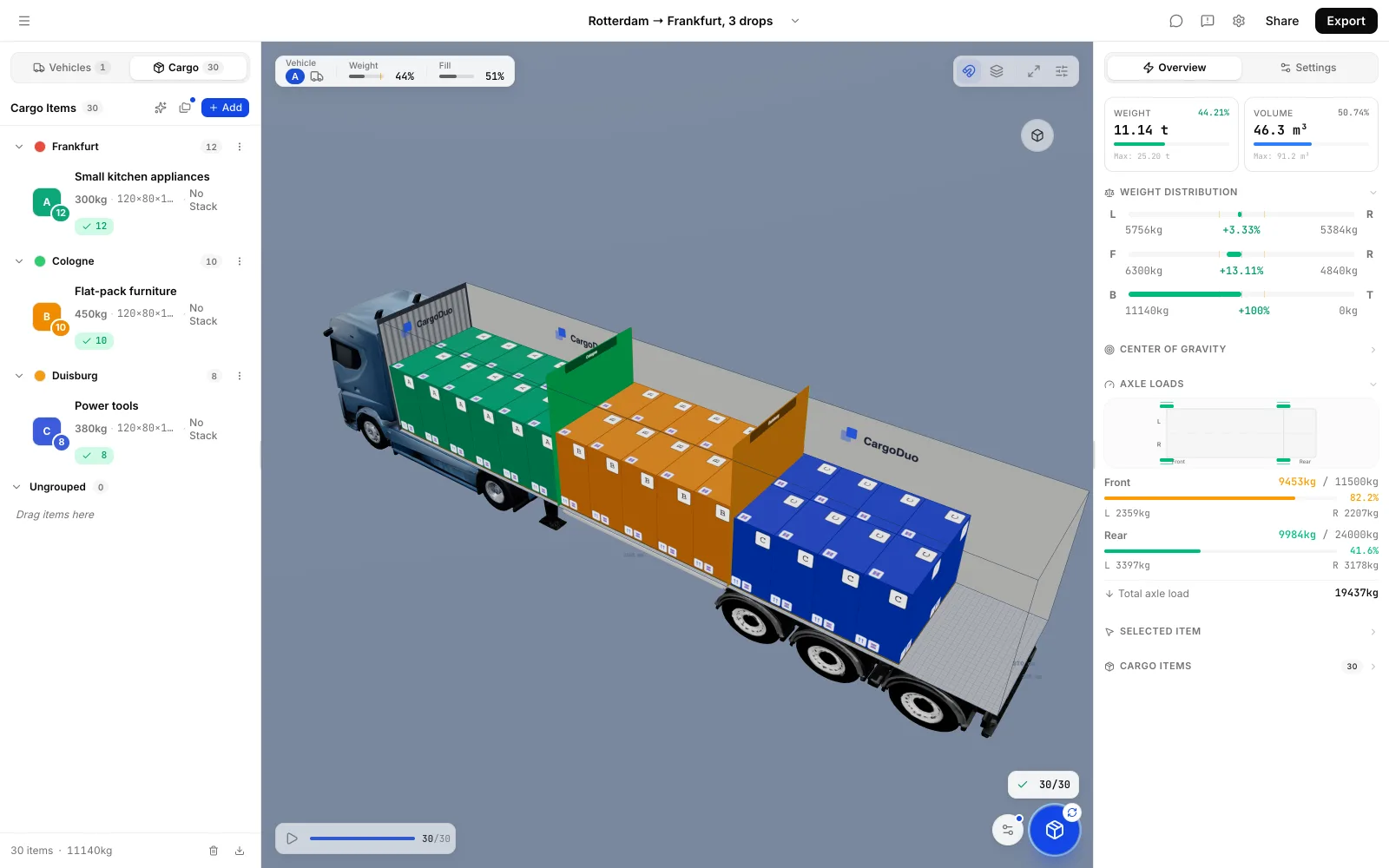
CargoDuo loads each stop's goods as its own group in reverse delivery order — in separate sections, side by side, or stacked so a later stop never blocks an earlier one — and shows the loading order step by step.
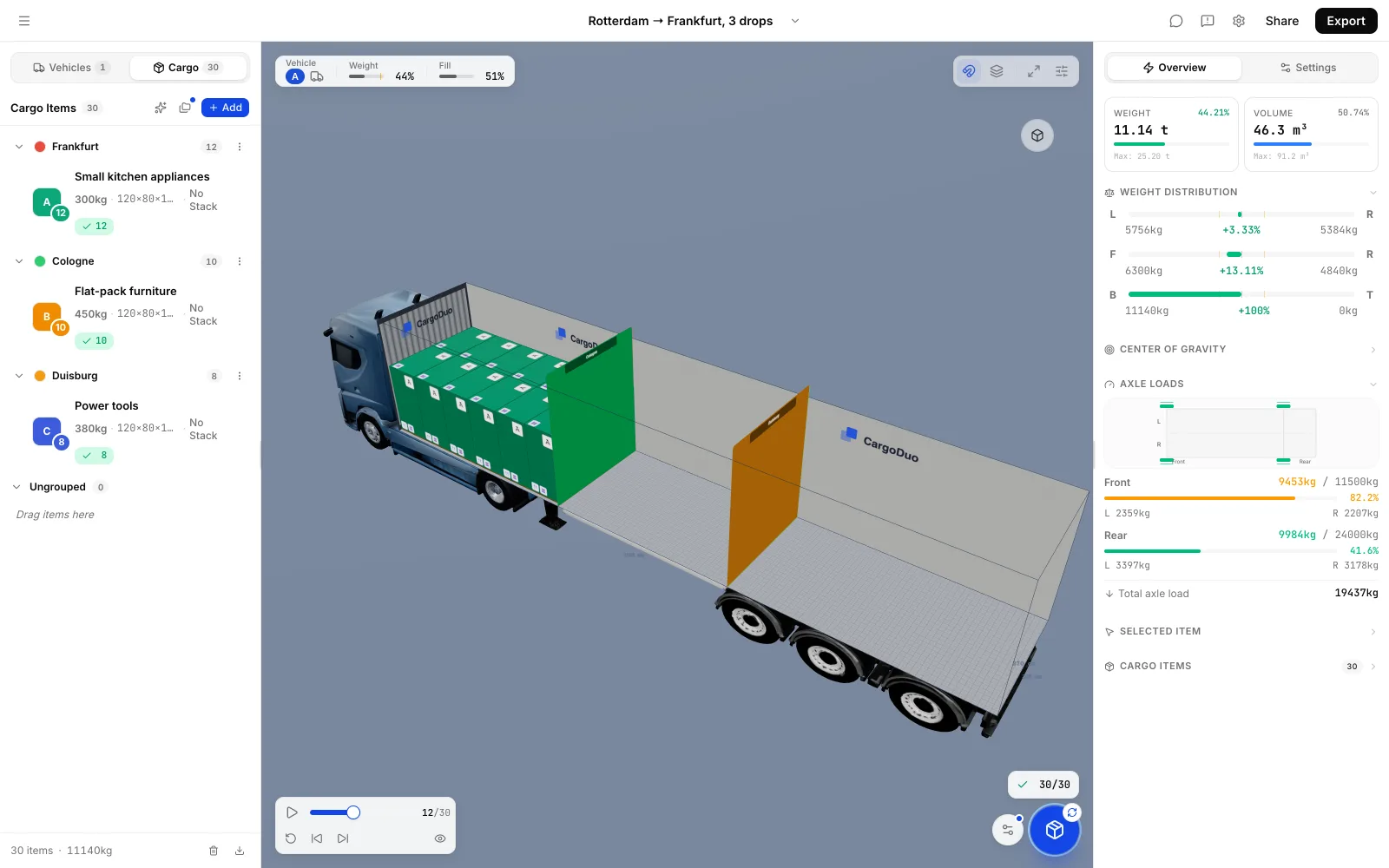
What gets in the way today
- At the second stop the crew has to unload half the truck to reach the right pallets.
- Grouping by stop wastes space, while mixing stops makes unloading slow.
- When the route changes in the morning, the whole load has to be re-planned by hand.
How CargoDuo handles it
- Delivery order built in
Each stop is a group; groups are loaded in reverse order so every stop's goods are reachable first.
- Three ways to separate stops
Separate sections, side by side, or stacked — later stops may sit on top of earlier ones, never the other way round.
- Re-plan in seconds
Change the stop order or move an item and the plan, sequence and axle loads update.
Questions from teams like yours
How does CargoDuo keep stops in order?
You assign items to groups, one per stop, and choose how groups are separated. The plan loads them in reverse delivery order and never puts an earlier stop on top of a later one.
Can the plan still use the full width of the trailer?
Yes. In the side-by-side and stacked modes later stops fill the gaps next to and on top of earlier ones.
Can several planners work on the same load?
Yes. The plan updates live for everyone working on it.
Try it with one of your own loads
Enter a real shipment and see the 3D plan, the loading order and the axle loads. 7 days free, no card.